Telega Watch
New in 1.0.5The home screen title has a camera icon, and Edit sources and Settings are now icon buttons (a pencil and a gear).

Your Telegram movies, on the big screen

Telega Watch is an Android TV app that finds the movies in the Telegram folders and channels you choose, lays them out as cards, and plays them straight away while they download, all with the remote.
Download APK Version 1.0.5 · Android TV 6.0+

What it looks like

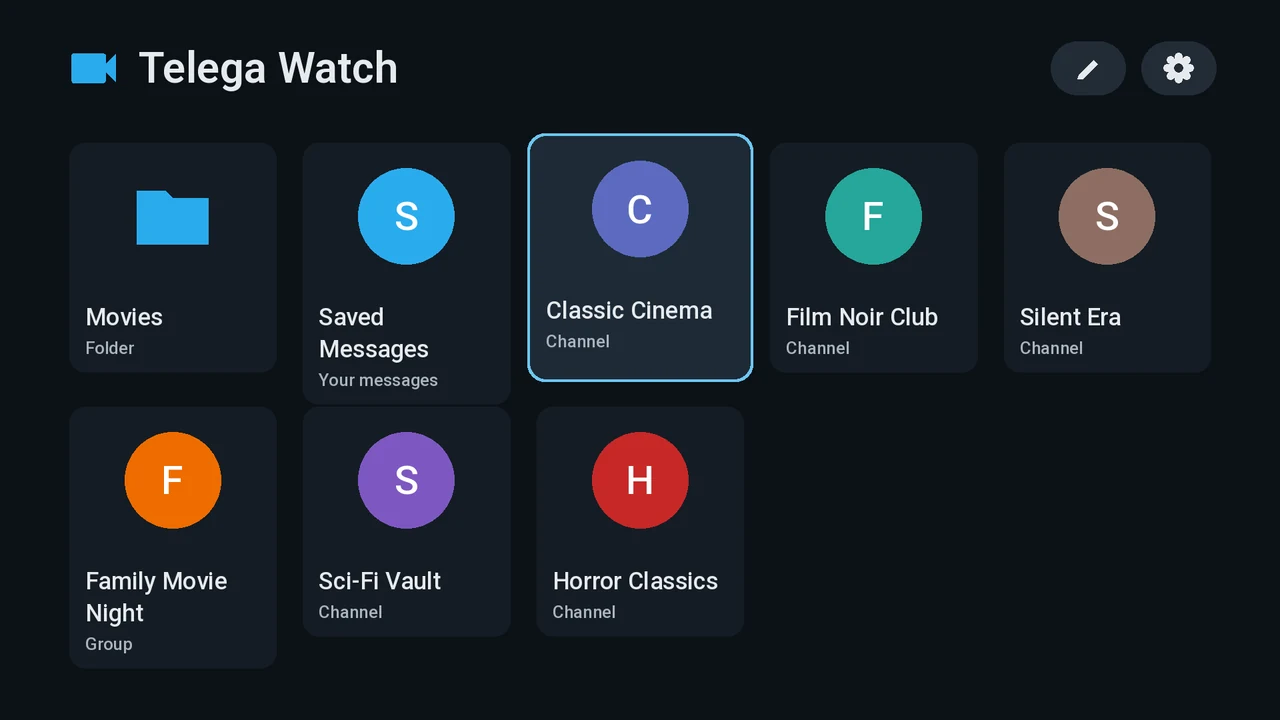
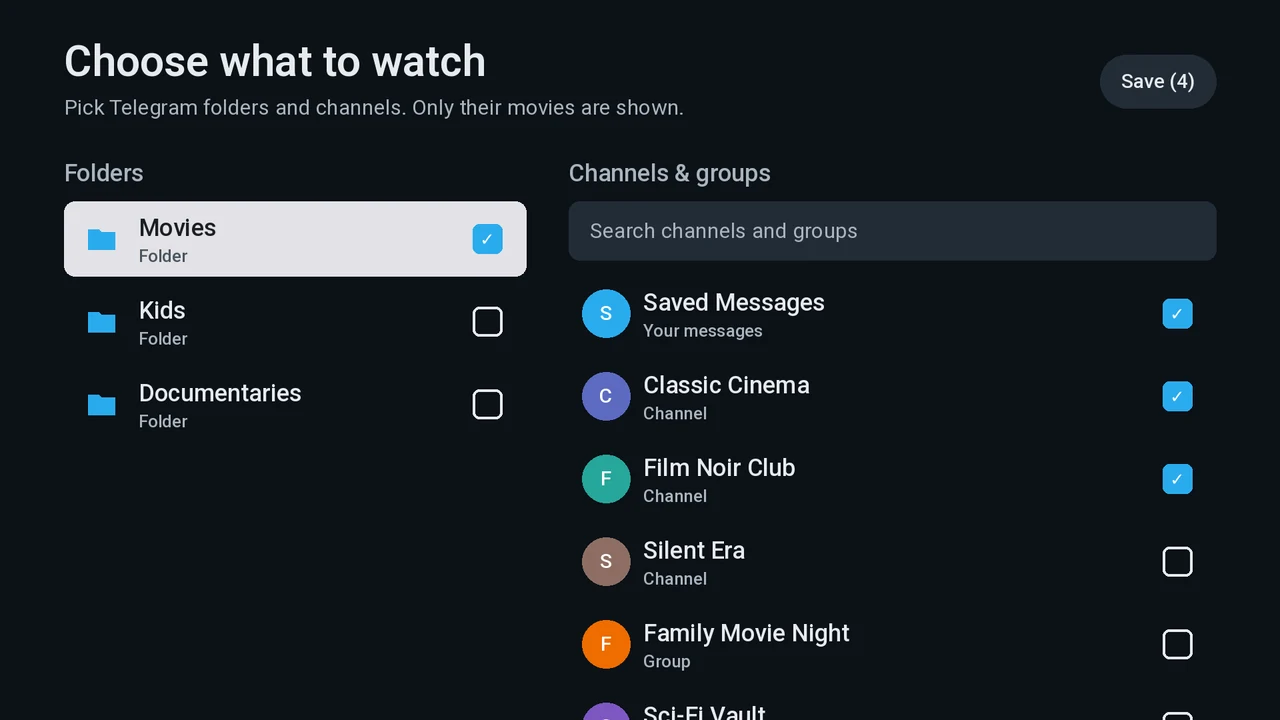
  1. Choose what to watch: screenshot from the TV
    Choose what to watch Folders, channels, groups and Saved Messages, with search.
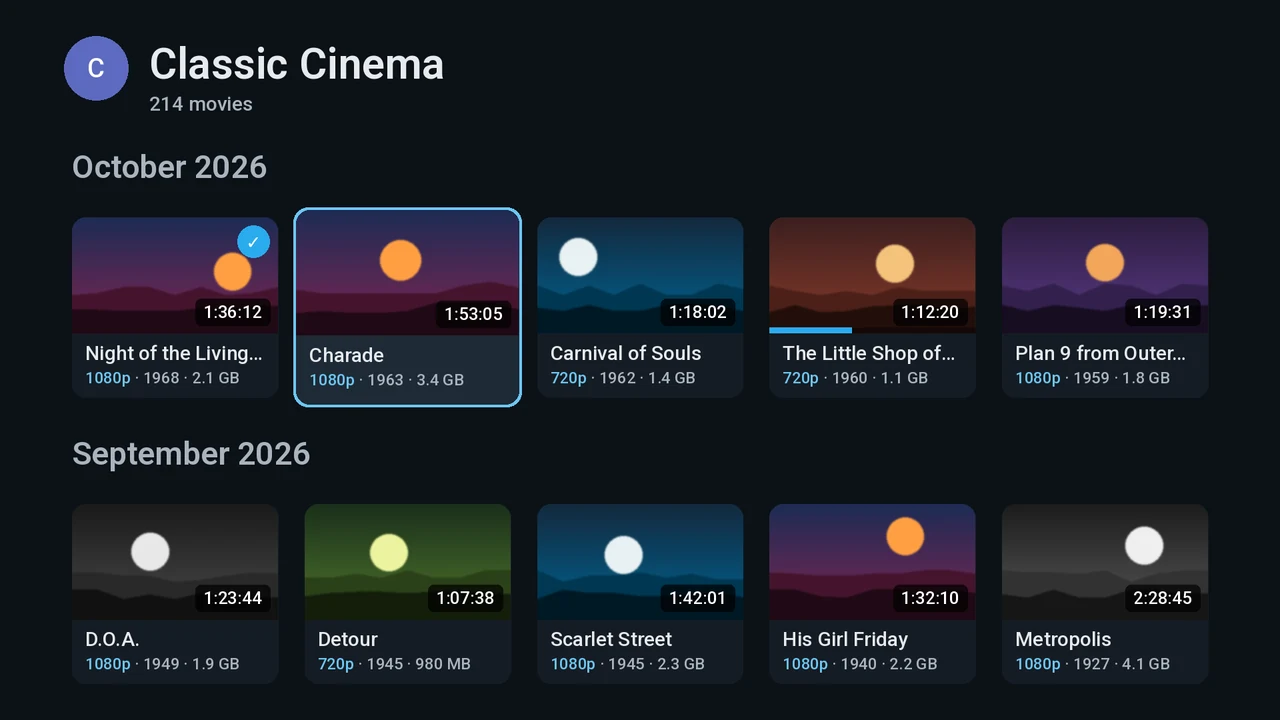
  2. A channel: screenshot from the TV
    A channel Every movie in the channel, newest first, grouped by month.
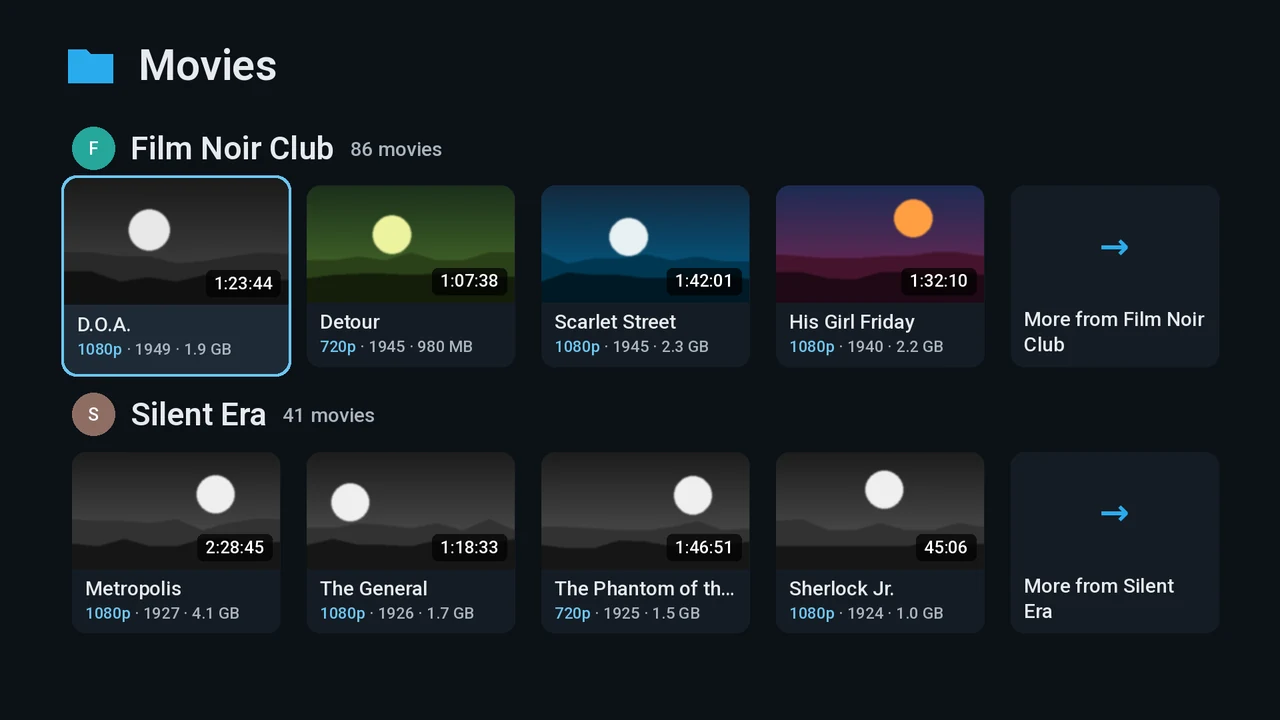
  3. A folder: screenshot from the TV
    A folder One row per channel, with a “More from” card to open the whole channel.
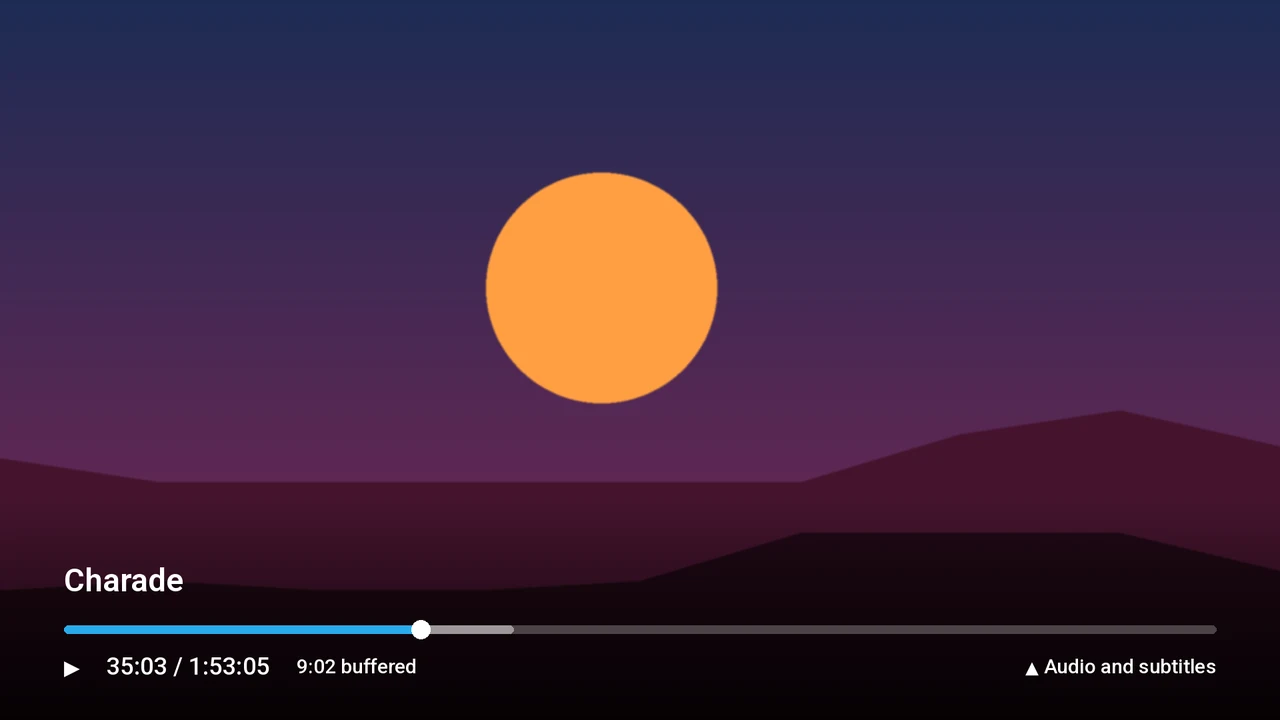
  4. The player: screenshot from the TV
    The player Seek, pause and see how much is already downloaded.
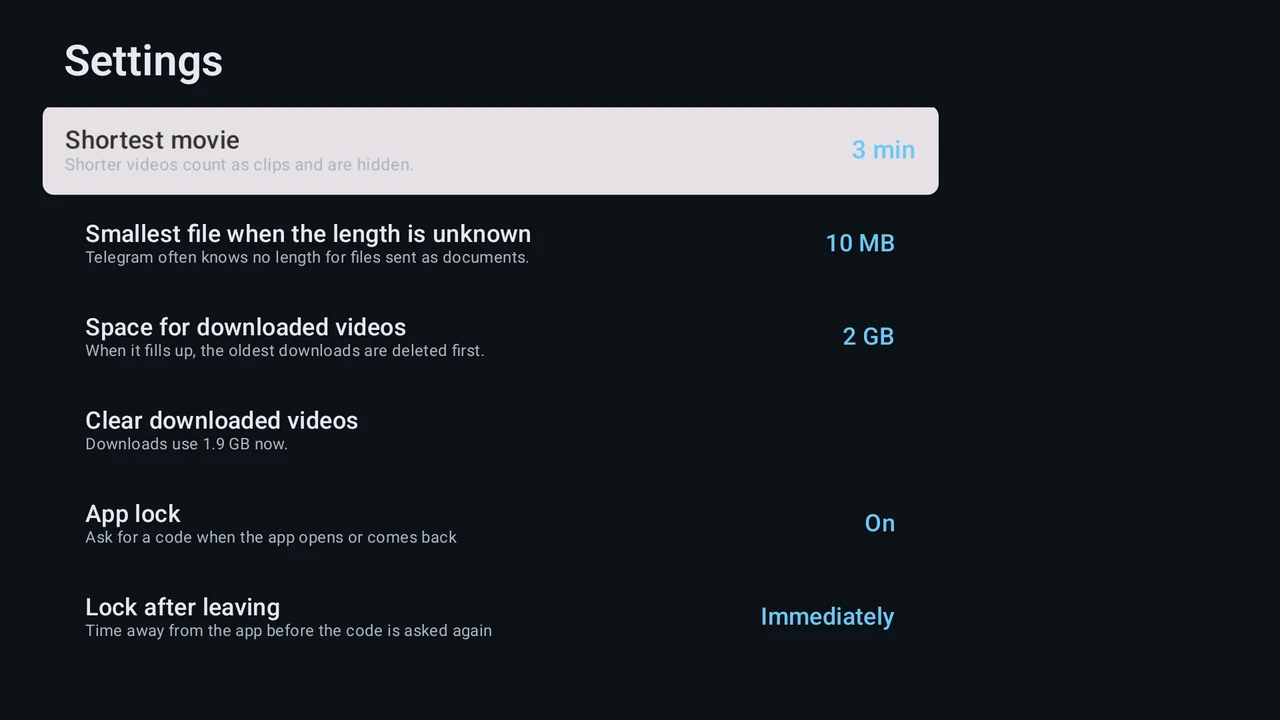
  5. Settings: screenshot from the TV
    Settings What counts as a movie, how much space downloads may use, and the app lock.

What it does

Your own Telegram account

Scan a QR code with Telegram on your phone and you're in. No typing on the TV, and no server in between: everything runs on the TV.

Folders and channels become a library

Pick chat folders, channels, groups or your Saved Messages. Each one becomes a grid of movies, grouped by month.

Only the movies

Clips, photos and chatter are left out. Titles, years, quality and episode numbers are read from the file names.

Plays while it downloads

Press play and the movie starts in seconds. Pick audio tracks and subtitles, and carry on where you stopped.

App lock

Protect the app with a 4 to 8 digit code. It locks when you leave, or when nobody has touched the remote for a while.

Updates itself

A new version announces itself, shows what changed, and installs in a couple of presses.

All features →

Getting started

  1. Download the APK

    With the button above, or straight on the TV by typing telegawatch.ku4er.net into Downloader.

  2. Install it

    Allow installs from that app when the TV asks.

  3. Log in and choose

    Scan the QR code with Telegram on your phone, then pick the folders and channels to watch.

Step-by-step install guide →

Get in touch

Found a bug, missing a feature, or just have a question? Write to the author. Every message gets read.

Questions about your Telegram account, or about the channels you follow, belong with Telegram and the channel owners: the app's author can't help with those.

Recent changes

  1. 1.0.5build 7
    • The home screen title has a camera icon, and Edit sources and Settings are now icon buttons (a pencil and a gear).
  2. 1.0.4build 6
    • The update prompt now lists everything that changed since your version, not just the newest release.
  3. 1.0.3build 5
    • Telega Watch now sends a small, silent heartbeat to your own statistics server: the app version, the TV model and Android version, and the Telegram account it is logged in to. It never includes your phone number or what you watch. After you log out, the account is no longer sent.

Full history →